

Boost Website Performance with Smart Image Optimization 

If your website feels slow, chances are your images are the biggest reason. 

Images make your site attractive. They build trust. They improve engagement. But without proper Image Optimization, they can quietly destroy your speed, rankings and conversions. 

In this complete guide to image optimization, you’ll learn exactly how to improve website performance by optimizing images, improve website speed with image optimization and implement smart Website Image Optimization strategies that actually work. 

Boost Website Performance with Smart Image Optimization Guide

Image Optimization: What Is It?

Image Optimization What Is It visual selection

Reducing the size of an image file without sacrificing its visual quality is known as image optimization and it guarantees quicker loading times and better SEO results.  
Consider it similar to packing a bag. Everything that matters should be within, but you don’t want excess weight to slow you down. 

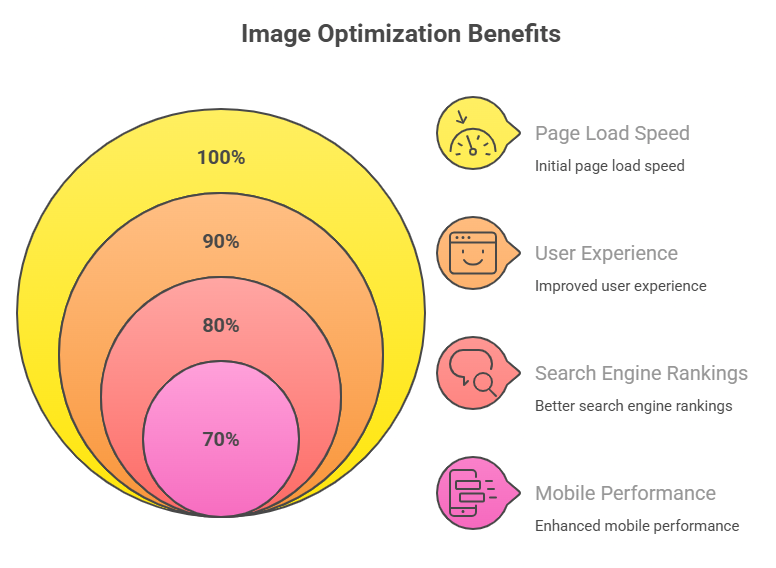
Proper optimization improves: 

  • User experience 
  • Search engine rankings 
  • Mobile performance 

And in today’s competitive digital world, speed is everything. 


Why Image Optimization Is Crucial for Website Performance

1. Images Make Up Most of Your Page Size

Images typically make up more than half of a webpage’s overall size. They make your site hefty and slow if they aren’t optimized. 

That’s where Website Performance Optimization starts — by reducing unnecessary image weight. 

2. Speed Directly Impacts SEO

Google considers page speed a ranking factor. Slow websites experience: 

  • Higher bounce rates 
  • Lower engagement 
  • Reduced conversions 

Implementing Website Speed Optimization through image improvements is one of the fastest ways to boost rankings. 

3. Mobile Users Demand Speed

finger tapping loading animation

Mobile devices account for over half of website traffic. The mobile experience can be ruined by large graphics. 

If you want true Image optimization for faster website loading, you must prioritize mobile responsiveness. 

How to Improve Website Performance with Image Optimization

Let’s divide this into manageable 

Step 1: Select the Appropriate Picture Format

The functions of various formats vary. 

JPEG

Best for photographs and blog images. 

PNG

Ideal for graphics and images requiring transparency. 

WebP

Modern format offering superior compression and quality balance. 

AVIF

Next generation format with excellent compression but limited compatibility. 

WebP is the best option for Website Image Optimization for the majority of websites 

Step 2: Before uploading, resize the images

It’s a mistake to post high resolution camera photos straight to your website 
Don’t post 4000px photos if your content area shows images with an 800px width.  
Resizing files prior to upload greatly lowers their size and enhances image optimization for quicker page loads. 

Step 3: Apply Image Compression for Website

This is where serious performance gains happen. 

Lossy Compression 

Reduces file size significantly with minimal quality loss. 

Lossless Compression 

Maintains full quality but reduces size slightly. 

Most blogs and business websites benefit from lossy compression because users rarely notice minor quality differences. 

Regular Image Compression for Website can reduce file sizes by up to 70%.

Step 4: Utilize responsive images

Different devices require different image sizes. 

Use: 

  • srcset attributes 
  • Responsive image scaling 
  • Distinct sizes for mobile, tablet and desktop  

Better website performance optimization on all devices is guaranteed with responsive design 

Step 5: Turn on lazy loading.

Images are not loaded until users scroll down the page due to lazy loading 
Images only load when necessary rather than all at once.  
This decreases the initial load time and significantly enhances website speed optimization. 

Step 6: Improve Alt Text and File Names (Image SEO)

Here’s where Image SEO really shines. 

Instead of uploading: 

IMG_5678.jpg 

Rename it to: 

Complete guide to image optimization.jpg 

Add descriptive alt text like: 

“Complete guide to image optimization for better website performance” 

This improves your content’s comprehension by search engines and makes it more visible in picture search results 

Step 7: Make use of a content delivery network (CDN).

A CDN stores copies of your images on servers located all over the globe.  

Images are sent to visitors from the closest server location, increasing speed everywhere.  
This stage is essential for advanced website image optimization for companies who aim to reach global audiences. 

Advanced Techniques for Image Optimization

Take a look at these techniques if you wish to move beyond the fundamentals. 

Optimize Images Automatically

Make use of server level technologies or plugins that automatically transform and compress images when they are uploaded.  

Consistent optimization is guaranteed by automation. 

2. Keep an eye on core web vitals

Images heavily impact: 

Pictures have a big impact:  

  • LCP, or LargestContentfulPaint  
  • CLS, or Cumulative Layout Shift
    Image optimization raises SEO performance by improving both metrics.  

3. Implement Image Sitemaps

Image SEO Services visibility is increased by an image sitemap, which aids search engines in efficiently crawling and indexing images. 

Typical Errors in Image Optimization

Steer clear of these typical mistakes: 

  • Uploading stock images without compression 
  • Ignoring mobile optimization 
  • Using wrong image formats 
  • Skipping alt text 
  • Not testing speed after changes 

Even small mistakes can undo your Website Speed Optimization efforts. 

How Image Optimization Improves Conversions

Speed equals trust. 

When users experience fast loading pages: 

  • They stay longer 
  • They browse more 
  • They convert more 

A 1 second delay can significantly reduce conversions. When you improve website speed with image optimization, you’re directly increasing revenue potential. 

Complete Image Optimization Checklist

Use this checklist to stay consistent: 

 Choose correct format (WebP recommended) 
 Resize images before uploading 
 Compress images properly 
 Add SEO friendly file names 
 Write descriptive alt text 
 Enable lazy loading 
 Use responsive images 
 Implement CDN 
 Keep an eye on Core Web Vitals 

 Test regularly 

This is your practical Image Optimization Guide in action.

Future of Image Optimization

The future is intelligent and automated. 

  • AI based compression tools 
  • Real time image optimization 
  • Automatic format switching 
  • Wider AVIF adoption 

Web technology evolves quickly — your Website Image Optimization strategy must evolve with it. 

website speed optimization gradient

Conclusion

Your website speed can make or break your online success. 

Heavy images slow down performance. Slow performance kills rankings. Poor rankings reduce website traffic. 

But now you know how to fix it. 

This complete guide to image optimization showed you: 

  • How to improve website performance by optimizing images 
  • How to implement effective Image Compression for website 
  • How to improve website speed with image optimization 
  • How to leverage Image SEO for higher visibility 

Image Optimization is not just technical maintenance — it’s a competitive advantage. 

Fast websites win. 
Fast websites rank. 
Fast websites convert. 


Don’t let oversized images silently sabotage your website growth. 

Start implementing these Image Optimization strategies today. Audit your website services. Compress your images. Switch to modern formats. Enable lazy loading. 

Take action right away if you’re serious about increasing traffic, rankings and conversions.  
Because every additional second of load time costs you money and guests. 

Optimize today. Dominate tomorrow. 

ChatGPT Image Feb 17 2026 04 25 30 PM


FAQs – Image Optimization

1. What is Image Optimization in simple terms?

It’s the process of reducing image size while maintaining quality to improve website speed and SEO.

2. Why is Image SEO important?

Image SEO helps search engines understand and rank your images, bringing additional organic traffic.

3. Which format is best for Website Image Optimization?

WebP offers the best balance between quality and compression for most websites.

4. How much can Image Compression for Website reduce file size?

Depending on the method, compression can reduce size by 50–80%.

5. Does image optimization improve Google rankings?

Yes, because faster websites rank better and offer improved user experience.

6. What is lazy loading in image optimization?

Lazy loading delays image loading until users scroll to that part of the page.

7. How do responsive images help Website Performance Optimization?

They ensure users receive the correct image size based on their device, improving speed.

8. Can image optimization affect Core Web Vitals?

Yes, especially Largest Contentful Paint (LCP), which is often image related.

9. How often should I optimize images?

Always optimize images before uploading them to your website.

10. Is image optimization necessary for small websites?

Absolutely. Even small websites benefit from faster loading and better SEO.
WhatsApp Image 2025 11 13 at 2.47.17 PM 1 1 1

Manisha Sharma is an experienced content writer with over 1-2 years of expertise in crafting engaging, SEO-driven, and audience-focused content. Passionate about storytelling and travel, combines her love for exploring new places with her writing skills to create authentic and relatable narratives. From travel blogs to brand content, Manisha Sharma specializes in producing compelling copy that connects with readers and enhances brand presence across digital platforms.

Leave a Comment

Your email address will not be published. Required fields are marked *

Scroll to Top